Remove background noise from video
MP4, MOV, WebM and MKV: clean the soundtrack while the picture stays exactly as it was.
Clean podcasts, interviews, lectures and videos you have already recorded. Kleervox removes background noise right in your browser — your file is not uploaded for cleaning.
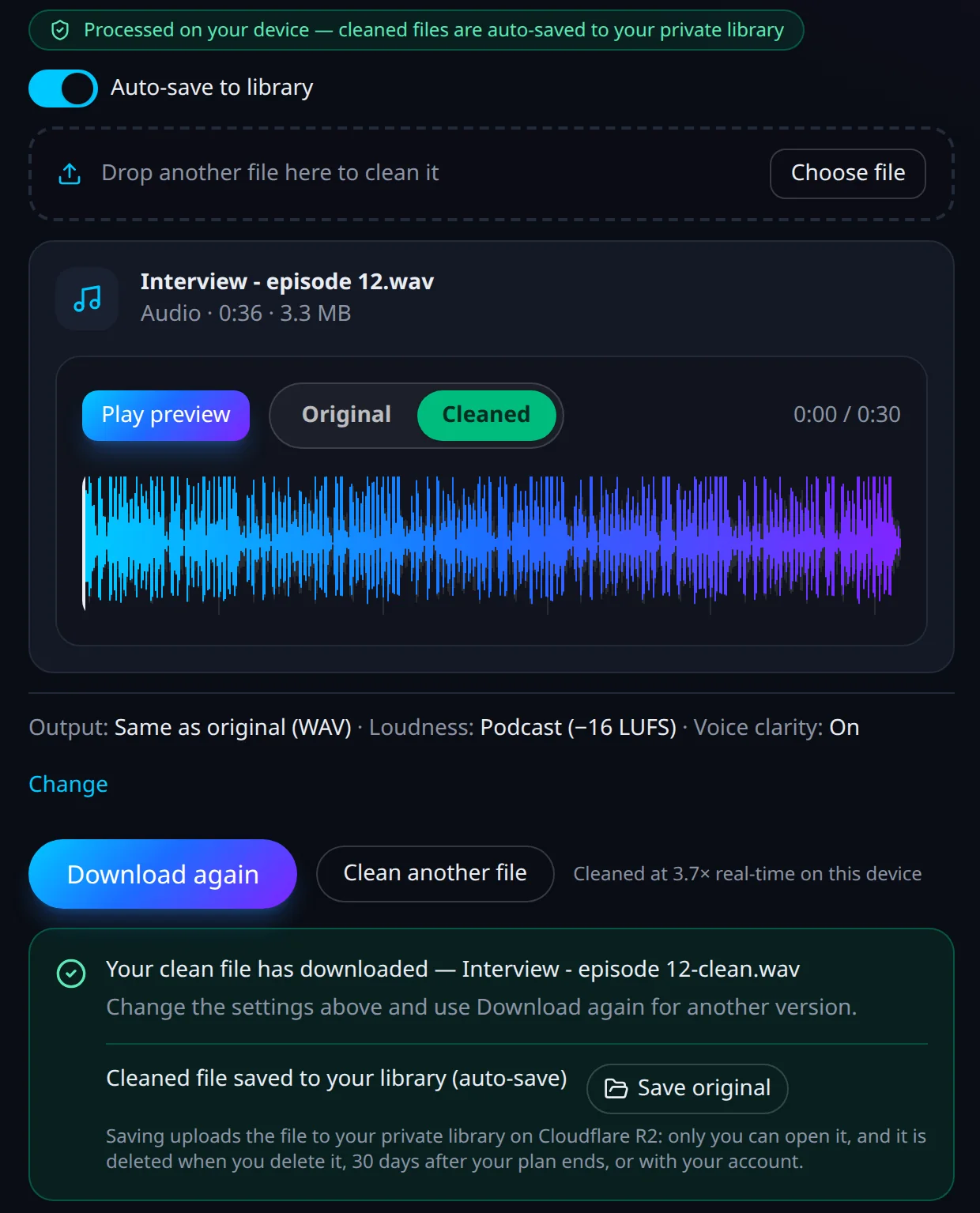
Drop in a recording and watch each step happen on your own computer. When it is done, switch between Original and Cleaned to compare, change the format or loudness, and download again — no re-cleaning.
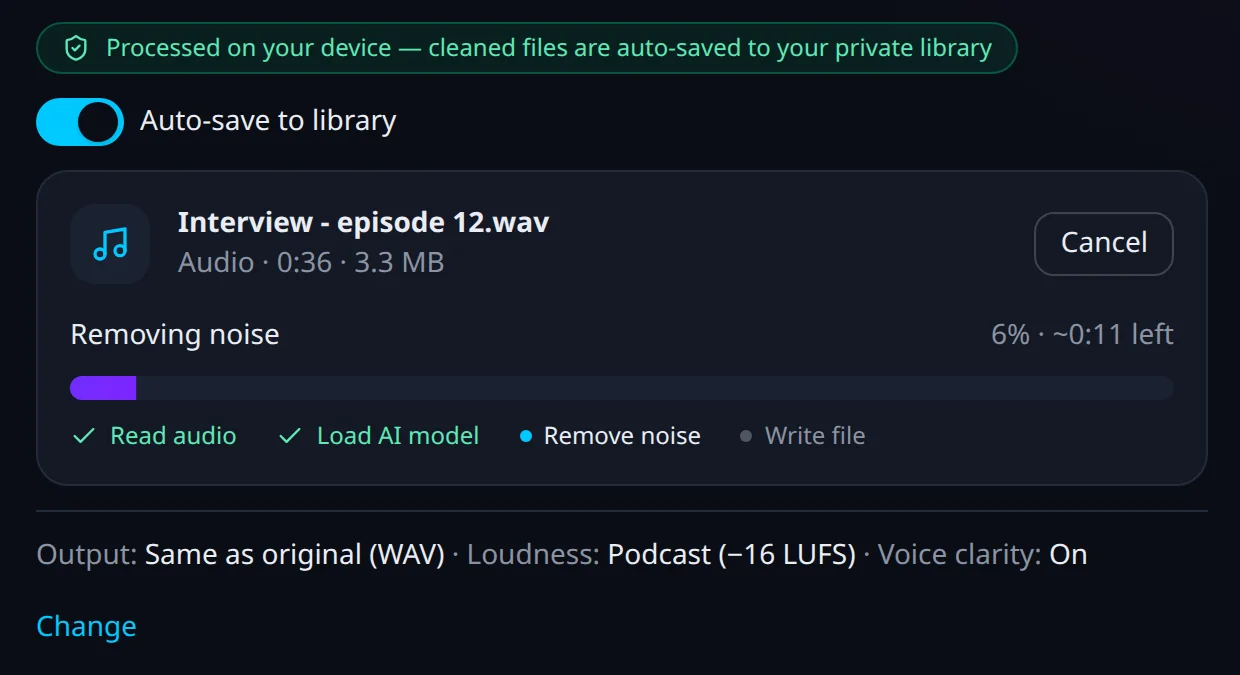
No software to install and nothing to configure. Choose the output format and loudness once; every file after that downloads the way you like it.
Any common audio or video file, straight from your computer. Files can be up to 30 minutes long on Free and Pro, and up to 3 hours on Creator.
A speech-trained AI model removes the background noise on your own machine. The file stays with you.
Video keeps its format; audio comes back as MP3, M4A or lossless WAV. Compare it with the original before you use it.
Fans, traffic, air conditioning, keyboards, a busy room: the noise that crept into a recording doesn’t mean you have to record it again. The same neural model that cleans live calls in the Kleervox desktop app cleans your files, keeping the voice natural.
MP4, MOV, WebM and MKV: clean the soundtrack while the picture stays exactly as it was.
Episodes, remote interviews and music beds, delivered at podcast loudness.
Phone voice memos, interviews, lectures and dictation recorded in a noisy place.
The noise removal runs inside your browser tab, on your computer. To count a file against your plan, Kleervox only receives its length, size and type — never the audio itself or its name.
That makes it a good fit for interviews, client calls and other recordings you would rather not hand to a cloud service.
Drop in an MP4, MOV, WebM or MKV and only the soundtrack is cleaned. The video frames are copied as they are, without re-encoding, so there is no quality loss and no wait for a video render.
Supported audio: WAV, MP3, M4A, AAC, OGG, Opus, FLAC. Supported video: MP4, MOV, WebM, MKV.
Pick a loudness target — podcast, YouTube or broadcast — and the cleaned file comes out at a consistent level with a safety limiter, so it is ready to publish without another tool.
Voice clarity trims rumble and boxiness and adds presence for crisper speech — on by default, one switch to turn it off.
Noise removal is made for speech. When a recording has a song or a music bed, the tool turns the music down instead of cutting it out between words — and tells you it has done so.
Private storage comes with Pro and Creator. If you want to, save the original or the cleaned file to your library and download it again later from any computer. Saving is always your choice — one explicit click per file — and nothing is stored otherwise.
Cleaning live calls instead of recordings? The AI noise cancellation desktop app cleans your microphone in Zoom, Meet, Teams and every other call app. Building a product or an AI agent? The Kleervox API for developers cleans files on our servers, included with Creator.
Try it free: 30 minutes of cleaning a month on the Free plan, no card needed. Pro and Creator add more hours of file cleaning every month, plus unlimited live-call noise cancellation in the desktop app. Files can be up to 30 minutes long on Free and Pro, and up to 3 hours on Creator. Private storage comes with Pro and Creator.
Sign in, open File Cleanup and drop in your recording. Kleervox cleans it in your browser with the same speech-trained AI model as the desktop app, then downloads the cleaned file. You can compare the original and the cleaned version and download again with other settings.
Yes. Drop in an MP4, MOV, WebM or MKV file and only the soundtrack is cleaned — the picture is copied as it is, without re-encoding, so the video quality does not change.
No. The cleaning runs on your computer, inside the browser tab. Kleervox only records the file's length, size and type to count it against your plan — never the audio or its name. A copy is stored only if you choose to save it to your private library.
Audio: WAV, MP3, M4A, AAC, OGG, Opus, FLAC. Video: MP4, MOV, WebM, MKV. Videos keep their own format, MP3 stays MP3 and M4A or AAC comes back as M4A; other audio comes back as lossless WAV — or pick WAV, MP3 or M4A yourself. Files can be up to 30 minutes long on Free and Pro, and up to 3 hours on Creator.
Noise removal is made for speech. When the tool detects a song or a music bed, it turns the music down instead of cutting it out, so it does not drop in and out between words — and it tells you when it has done so.
Yes, to start. File Cleanup is included in every Kleervox plan. Try it free: 30 minutes of cleaning a month on the Free plan, no card needed. Pro and Creator include more hours of cleaning each month and unlimited live-call noise cancellation in the desktop app. See the pricing page for current prices.
Sign in, drop in a file and hear the difference in minutes — no install, and the file stays on your computer.