
Recorded at a home desk
Air purifier · Fridge hum
Works with every app that lets you pick a micyour apps
- Zoom
- Google Meet
- Microsoft Teams
- Discord
- Slack
- Webex
- Jitsi Meet
- OBS Studio
- Streamlabs
- Audacity
Test it with your own voice
Pick a background noise, talk over it, then hear it removed. It runs in your browser, on your own computer.
Choose your background noise
Tap a scene to set it, ▶ to previewCafé plays through your speakers — talk over it, then hear it removed.
Live on every call. Or after you record.
Noise cancellation for every call app
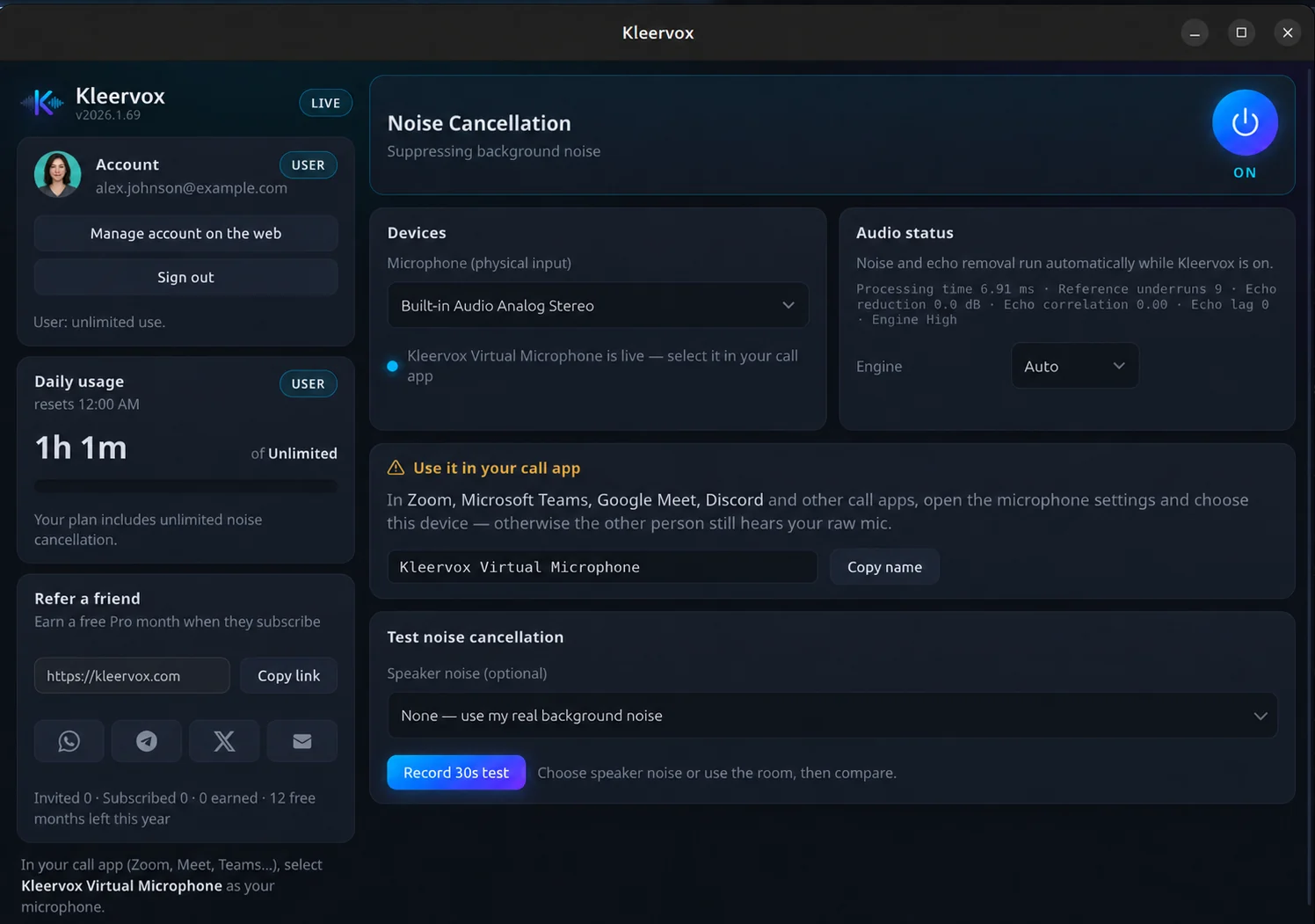
A virtual microphone for Zoom, Meet, Teams, Discord and more. Noise is removed on your computer as you speak.
- Real-time noise cancellation
- Works in any app that lets you pick a mic
- Works on Windows 10/11 and Linux
Remove background noise from audio and video files
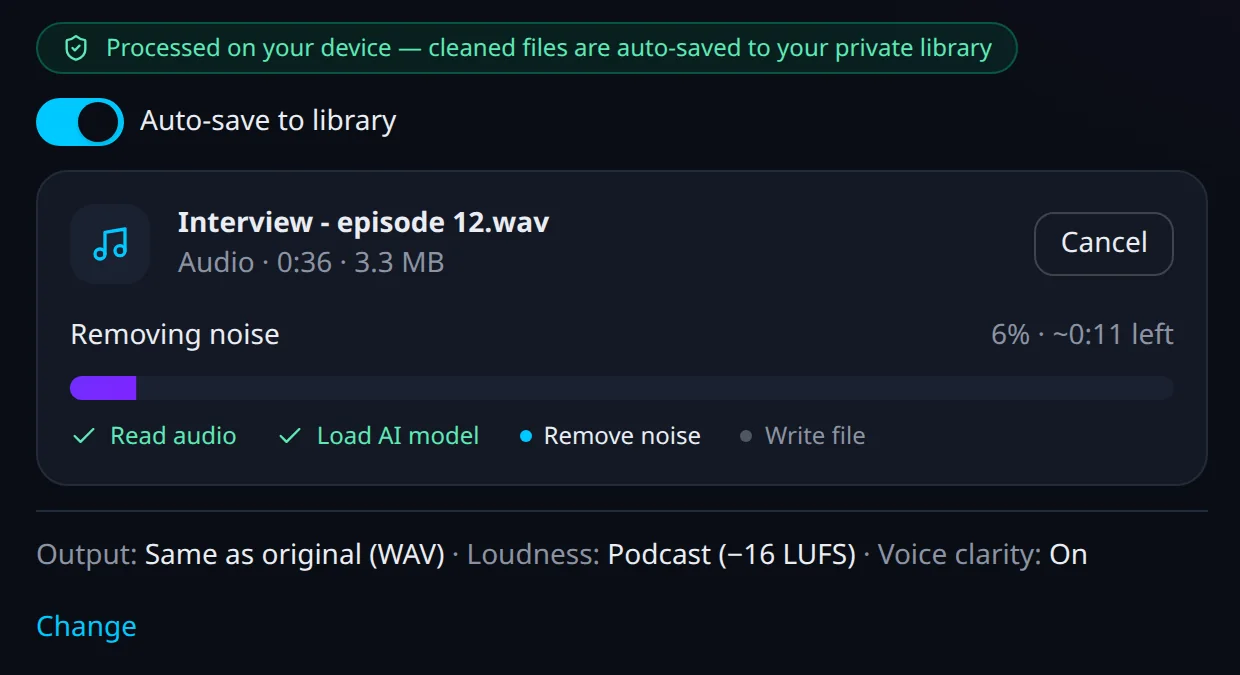
Podcasts, interviews, lectures and videos. Drop a file in and save a clean copy — it is cleaned in your browser, on your computer.
- MP3, WAV, M4A, FLAC, OGG and more
- MP4, MOV, WebM, MKV — the picture stays untouched
- Podcast, YouTube or broadcast loudness
Set up once, in three steps
- Step 1
Start your trial
Create your account and add a card. Nothing is charged for 7 days. Then install Kleervox on Windows 10/11 or Linux and sign in.
- Step 2
Pick “Kleervox Microphone” in your call app
Choose it as the microphone in Zoom, Meet, Teams or Discord. The app shows you exactly which one to pick.
- Step 3
Just talk
Noise is removed as you speak. Nothing to tweak.

Recorded a file? Open “Clean a file” in your dashboard, drop it in, and save the cleaned copy.
What Pro includes: clear audio in every call and every recording.
Unlimited noise-free audio and video calls
Noise cancellation for as many calls as you take, with no daily limit.
Works with Zoom, Meet, Teams and Discord
And any other app that lets you choose a microphone.
Audio stays on your computer
Your voice is cleaned on your own machine and never sent to our servers.
2 hours a month of noise removal for recorded audio and video files
Remove background noise from podcasts, meetings you recorded, voice-overs and videos. Cleaned in your browser, on your computer.
$6/month
7 days free, then $6/month
Cancel anytime from your dashboard
- Unlimited noise-free audio and video calls
- Noise cancellation for Zoom, Meet, Teams and Discord
- 2 hours a month of noise removal for recorded audio and video files
- Audio stays on your computer
- Works on Windows 10/11 and Linux
Calls are never limited. The hours are only for recorded files.
Cleaning a lot of recorded files, or need the API? The Creator plan ($20/month) has more hours for recorded files and API access. Compare plans
Kleervox Pro questions
When am I charged?
Nothing is charged during your 7-day trial. When it ends, $6 is charged for your first month of Pro, and Pro then renews monthly at $6 until you cancel. We email you a day before the first charge. Charges are not refunded, except within 14 days for UK, EU and EEA customers.
How do I cancel?
Yourself, from your dashboard, at any time — no email or call needed. Cancel before the trial ends and you pay nothing. On a paid month, you keep Pro until the end of the month you have already paid for.
Can I clean recorded audio and video files too?
Yes. Pro includes 2 hours a month of noise removal for recorded audio and video files, cleaned in your browser so the file never leaves your computer. Calls are never limited. The hours are only for recorded files. Need more? The Creator plan ($20/month) has 25 hours a month.
What happens to my audio?
Kleervox cleans your microphone on your own computer. Your call audio is never sent to our servers, and recorded files you clean with File Cleanup are cleaned in your browser, on your computer, too. A file is stored only if you choose to save it to your private library.
Which systems are supported?
The Kleervox app runs on Windows 10, Windows 11 and Linux, and works with any microphone. File Cleanup runs in a modern web browser.
Leave the background noise in the background.
7 days free, then $6/month. Cancel anytime.